
Supported functions:
- Listen to mentions of RelvyAI to trigger alert investigations
- Post investigation details to Slack when invoked
- Listen to messages in channels it’s invited to enable auto-investigation of every alert message (via the slash command
/auto-investigate)
Connecting Relvy to Slack
Relvy’s app is available for installation via Slack’s Oauth installation workflow (link). Please click on the installation link from our onboarding page.Steps
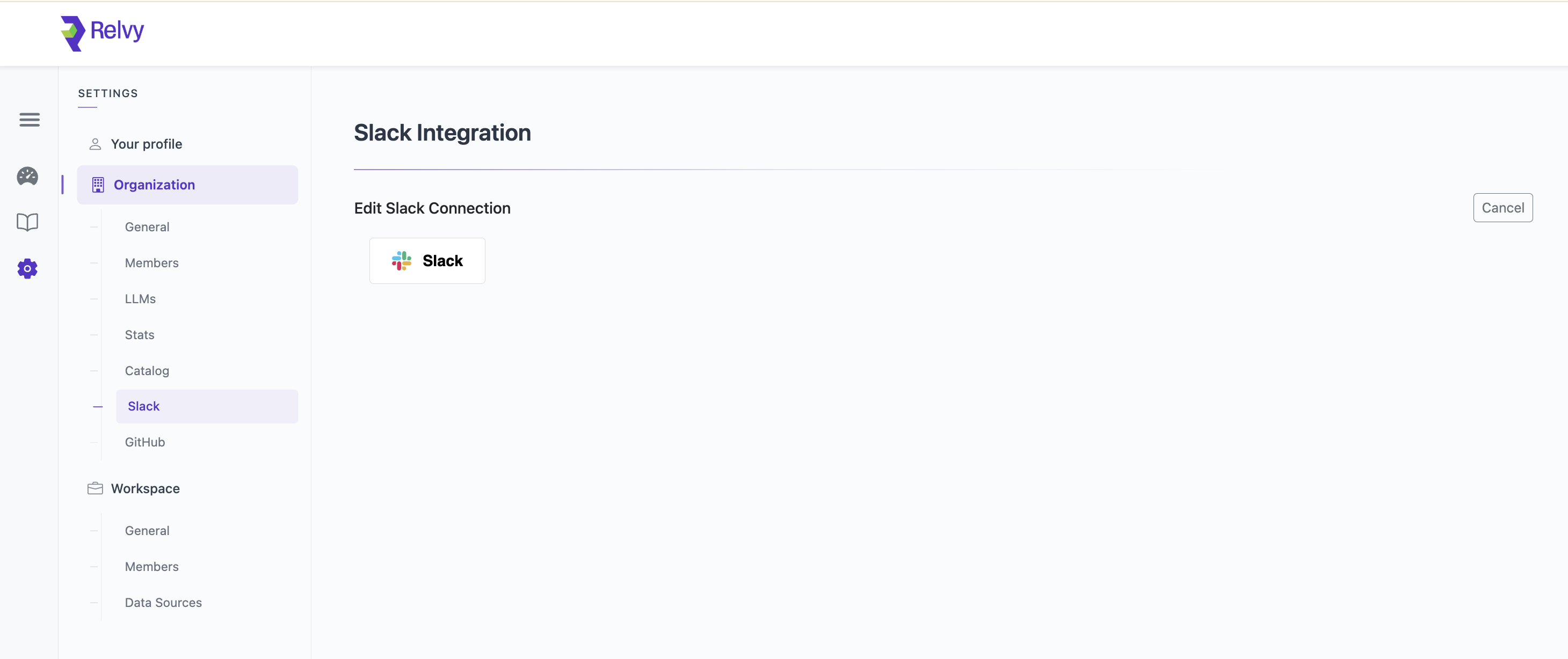
- Navigate to your account settings page on Relvy.
- On the left menu, navigate to
Organization->Connections->Slack(Or use this direct URL: account#organization-slack) - Follow the Slack OAuth process to finish set up.
How to use
- Invoke Relvy with a prompt to start an investigation:
@RelvyAI payments not working - Mention Relvy (
@RelvyAI) on a thread for Relvy to start an investigation based on the parent message. This is typically done on alert messages from bots, but it can be invoked on any message. (For example: a message from another team member) - Turn on auto-investigate (
/auto-investigate) on a channel. Relvy can be configured to automatically investigate messages from configured users. These are typicall alerting bots such as PagerDuty, Datadog, New Relic and others.
Slack Auto-Investigate
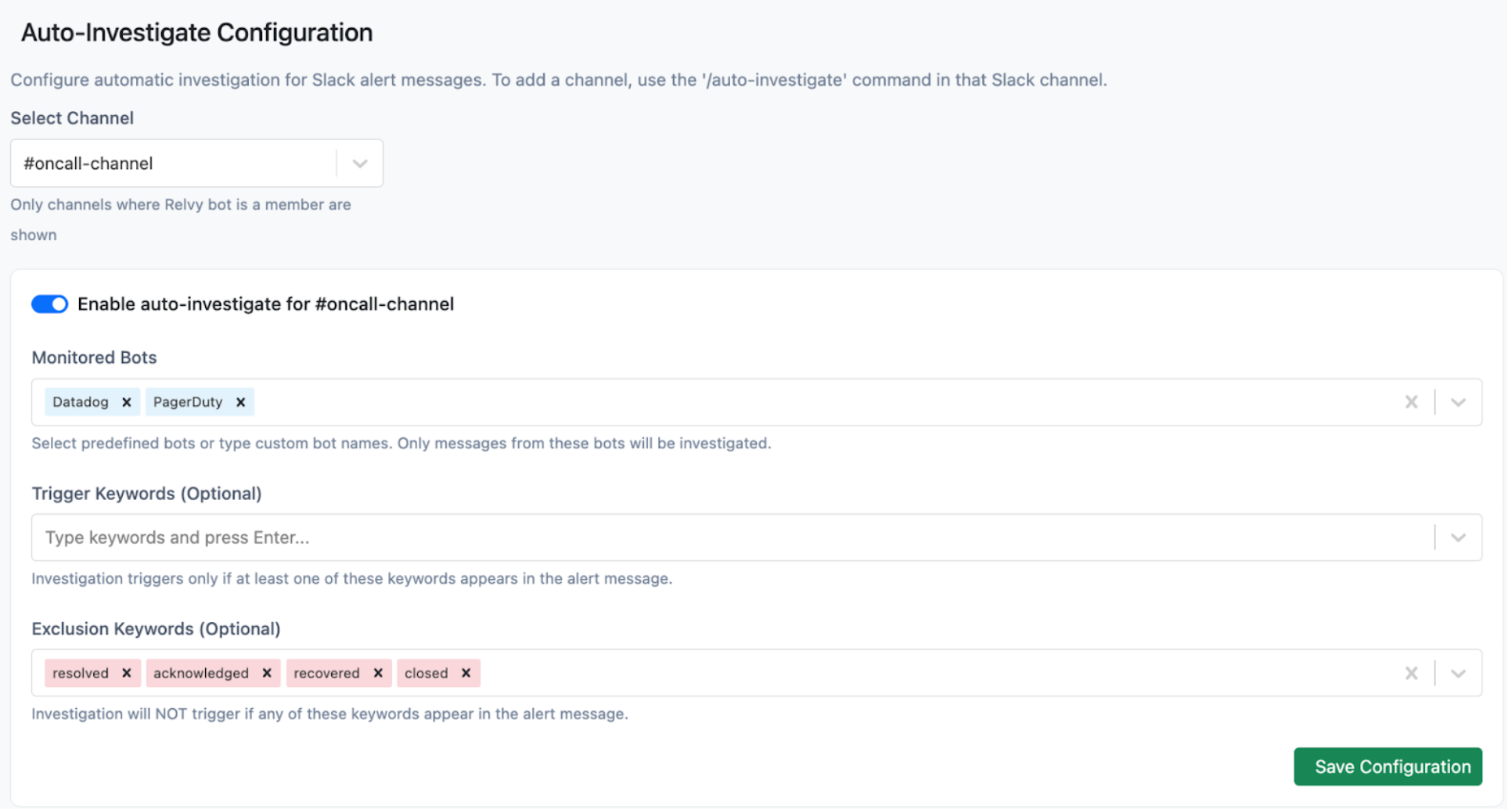
Set Relvy to auto-investigate alerts in your on-call Slack channel with the slash command/auto-investigate. You can choose which alerts Relvy responds to via workspace configuration options. For example: “Auto-investigate alerts from the PagerDuty and Datadog bots”.
Setup Steps
-
Invite
@RelvyAIto your on-call Slack channels if not already present -
Connect your Slack channel to a Relvy workspace if not already done. This is via the slash command:
-
Enable auto-investigate by typing the slash command in the channel:
- Configure which bots to respond to: You will get a link to your workspace configuration page, where you can specify which bots Relvy will respond to.
- Relvy will now start investigating matching alerts and posting the analysis on the same Slack thread.
-
To cancel auto-investigate, use the slash command:
Available Commands
/auto-investigate: Turn on auto investigate for a particular Slack channel/cancel-auto-investigate: Turn off auto investigate for a particular Slack channel/set-relvyai-workspace <workspace-name>: Connect the Slack channel to a Relvy workspace
Scopes
We request the following scopes:app_mentions:readchannels:historychannels:readchat:writecommandsgroups:historyUsers.profile:read